
Launching a website can feel complicated when you are dealing with design, content, hosting, SEO, security, and testing at the same time. The process becomes much easier when you follow a clear order instead of trying to do everything at once.
If you are wondering how to launch a website for your business, the goal should not be simply to put a few pages online. A strong website should explain what you do, build trust, load quickly, work on mobile devices, and guide visitors toward taking action.
This guide breaks the process into seven practical steps. By the end, you will understand how to launch a website that looks professional, supports your marketing goals, and gives your business room to grow.
How to Launch a Website Step by Step
The best way to launch a business website is to treat it as a planned project. Before choosing colors or installing a theme, you need to understand what the website should achieve and who it needs to serve.
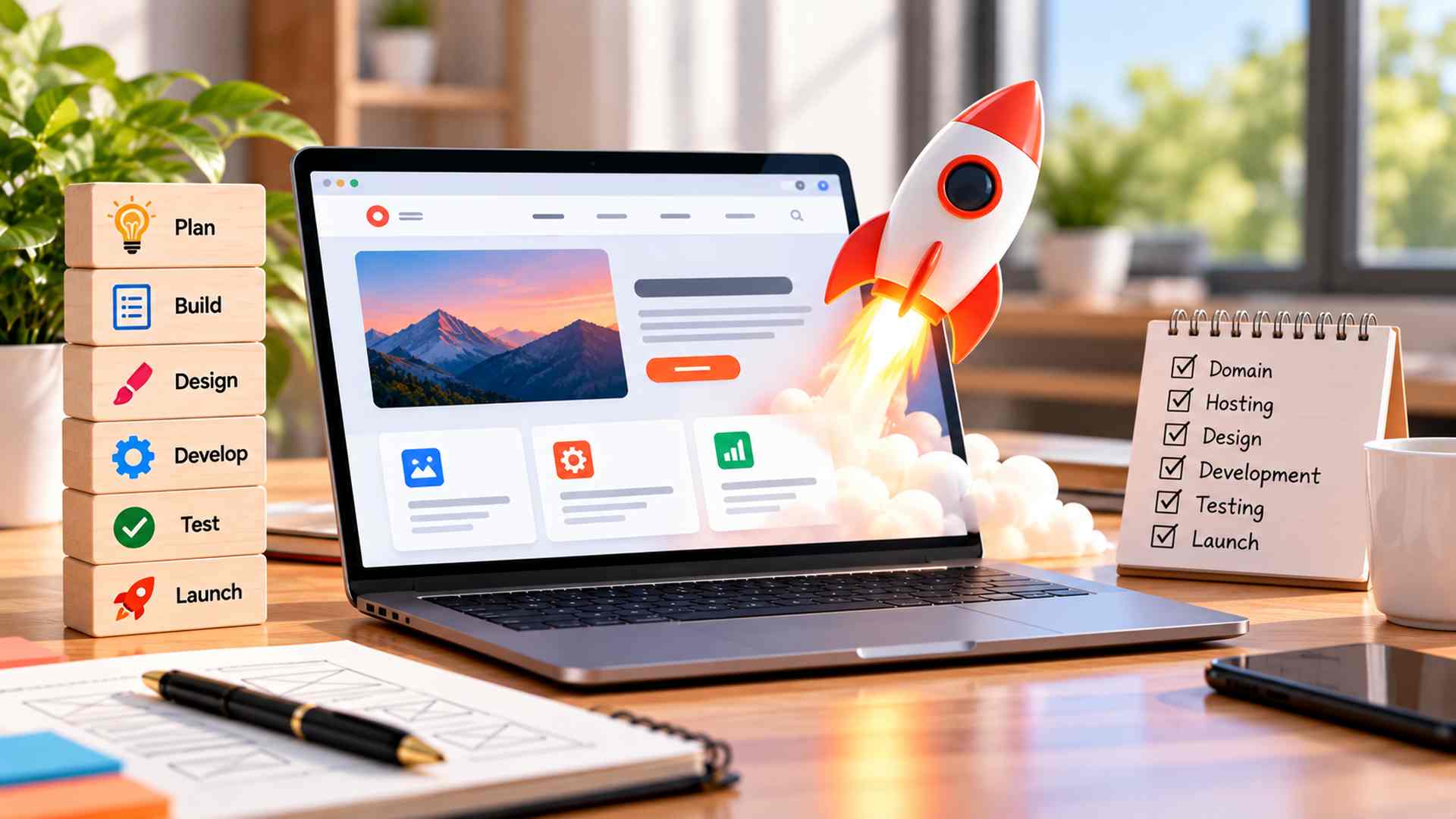
Following a structured process reduces unnecessary revisions, keeps development focused, and makes it easier to avoid common launch mistakes. Here is how to launch a website in seven clear steps.
Step 1: How to Launch a Website With a Clear Goal
Every successful website starts with a purpose.
Ask yourself what you want visitors to do after they land on the site. Do you want them to call your business, request a quotation, buy a product, book a service, or learn more about your company?
The answer will influence your layout, content, navigation, and calls to action.
For example, a local restaurant may need a menu, location, opening hours, and reservation option. A software company may need service pages, case studies, project examples, and a contact form. An online store needs product pages, payment options, delivery information, and a smooth checkout experience.
When learning how to launch a website, defining the main business goal first helps prevent unnecessary pages and features. It also makes future decisions much easier because every section can be built around a clear purpose.
Step 2: Understand Your Audience and Competitors
A website should be designed for the people who will actually use it.
Think about your ideal customer. What are they looking for? What questions do they usually ask? Are they mostly browsing from mobile devices? Do they need detailed technical information, quick pricing details, or simple ways to contact your team?
Knowing the answers will help you decide how much content to include and how the website should feel.
Competitor research is also useful. Review websites from businesses in the same market and pay attention to navigation, page structure, content, trust signals, and calls to action.
The purpose is not to copy another company. Instead, look for opportunities to create a better experience. If competitors have confusing service pages, weak mobile layouts, or slow websites, those weaknesses can help you understand how to launch a website that serves visitors more effectively.
Step 3: Plan the Website Structure and Content
A common mistake is starting with design before deciding what the website needs to say.
Begin by creating a simple sitemap. Most business websites need a homepage, about page, service or product pages, contact page, and sometimes a blog or resource section.
Next, decide what each page should communicate.
Your homepage should quickly explain who you are, what you offer, and why a visitor should continue exploring. Service pages should clearly describe how you can help. The contact page should make it easy for people to reach you without searching for phone numbers, email addresses, or forms.
Good content also supports SEO. Each important page should focus on a specific topic or search intent rather than trying to rank one page for everything.
Anyone researching how to launch a website should plan both structure and content before development begins. Doing this early keeps the design focused and reduces last-minute rewriting.
Step 4: Choose the Right Platform, Domain, and Hosting
The technology behind your website should match your business needs.
WordPress is a flexible option for service businesses, blogs, corporate websites, and many e-commerce projects. Shopify can work well for businesses focused mainly on online selling. If you need an easy-to-manage platform, professional CMS development services can help you choose and customize the right content management system for your business. Custom development may be a better choice when the website requires unique features, integrations, dashboards, or application-level functionality.
You also need a domain name that is short, memorable, and connected to your brand.
Hosting is equally important. A low-quality hosting plan may save money initially, but slow response times and frequent downtime can hurt user experience. Choose a provider that offers strong uptime, backups, security features, and enough resources for your expected traffic.
Choose technology that can support future growth instead of selecting a platform only because it is cheap or familiar.
Step 5: Design for Usability and Mobile Visitors
A professional design should make the website easier to use, not more complicated. Professional website design services should focus on usability, clear navigation, responsive layouts, and a consistent visual experience across devices.
Visitors should be able to understand your offer within seconds. Navigation should be simple, headings should be clear, and important actions should stand out.
Avoid filling pages with unnecessary animations, oversized graphics, or too many competing buttons. A clean layout usually creates a stronger impression because it helps visitors focus on the information that matters.
Mobile experience is especially important. Test menus, forms, text sizes, images, buttons, and spacing on smaller screens. A page that looks excellent on a desktop can still be frustrating on a phone if buttons are difficult to tap or content is too wide.
One of the most important lessons in how to launch a website is that visual design should support usability. A website does not need to be complicated to look professional.
Step 6: Prepare SEO, Speed, and Security Before Launch
A website should be technically ready before it becomes public.
Start with speed. Compress large images, remove unnecessary scripts, use caching where appropriate, and avoid loading heavy visual effects that do not add real value. Good hosting also plays an important role in performance.
Next, prepare the basic SEO elements. Use descriptive page titles, useful meta descriptions, logical heading structures, internal links, image alt text, and readable URLs. Make sure important pages can be crawled and indexed by search engines.
Security should also be part of the launch checklist. Install an SSL certificate so the website uses HTTPS, keep themes and plugins updated, use strong passwords, protect forms from spam, and maintain backups.
If you are serious about how to launch a website successfully, these technical checks should happen before promotion begins. Fixing major speed, indexing, or security problems after launch can be more difficult and costly.
Step 7: Test Everything Before Going Live
The final step is quality testing.
Open the website on desktop, tablet, and mobile devices. Click every important button and menu item. Submit contact forms and confirm that messages are delivered correctly. Test checkout or booking flows if the site includes them.
Check for spelling mistakes, broken links, missing images, inconsistent spacing, and pages that load incorrectly.
You should also test site speed with tools such as Google PageSpeed Insights or GTmetrix. Review important SEO settings and confirm that your analytics tools are collecting data.
Google Analytics can help you understand visitor behavior, while Google Search Console can show indexing information and search performance.
Knowing how to launch a website is not only about pressing the publish button. A proper pre-launch test helps you catch small problems before real customers find them.
Website Launch Checklist
Before publishing, check the following:
- Domain is connected correctly
- HTTPS is active
- Mobile layout works properly
- Navigation links work
- Contact forms send successfully
- Calls to action are clear
- Page titles and meta descriptions are added
- Images have appropriate alt text
- Important pages are indexable
- Broken links are fixed
- Website speed has been tested
- Analytics and Search Console are connected
- Backups and basic security are configured
- Contact details are accurate
- Favicon and branding are consistent
Using a checklist makes the launch process much easier because you can review the most important items without relying on memory.
What to Do After You Launch a Website
Publishing the site is the beginning, not the end.
Monitor traffic, search visibility, leads, and user behavior. Update outdated information, publish useful content, improve weak pages, and fix technical issues as they appear.
You may also discover that visitors are not clicking an important button or that a service page is receiving traffic but generating few enquiries. That data can guide future improvements. If performance, usability, or design problems continue, reviewing the signs you need a website redesign can help you decide whether small improvements are enough or a larger update is required.
Businesses that understand how to launch a website successfully also understand that websites need ongoing maintenance. Regular updates keep the site useful, secure, and competitive.
Conclusion
Learning how to launch a website becomes much simpler when the work is divided into clear stages. Start with your goal, understand your audience, plan the content, choose the right technology, design for usability, prepare the technical foundation, and test everything before going live.
The strongest business websites are not necessarily the ones with the most features. They are the ones that make it easy for visitors to understand the brand, find useful information, and take the next step.
A careful launch gives your website a stronger foundation for SEO, marketing, lead generation, and long-term business growth.
FAQs
How to Launch a Website Without Technical Experience
You can use platforms such as WordPress, Shopify, or other website builders to create a site without advanced coding knowledge. However, professional support may be useful when you need custom functionality, advanced SEO, stronger security, or a more polished business website.
How Long Does It Take to Launch a Website?
A simple business website may take a few weeks, while larger websites, e-commerce stores, and custom platforms can take longer. The timeline depends on content, design, features, feedback, testing, and development complexity.
What Should I Check Before Launching a Website?
Check mobile responsiveness, forms, navigation, HTTPS, page speed, SEO settings, analytics, contact information, broken links, and important user journeys before publishing the site.
Do I Need SEO Before Launching a Website?
Yes. Basic SEO should be prepared before launch. This includes page titles, meta descriptions, headings, internal links, crawl settings, image alt text, mobile usability, and search-friendly URLs.
Can I Make Changes After the Website Goes Live?
Yes. A website should continue improving after launch. You can update content, add pages, improve design, optimize SEO, fix technical issues, and test new calls to action as you collect more data.