

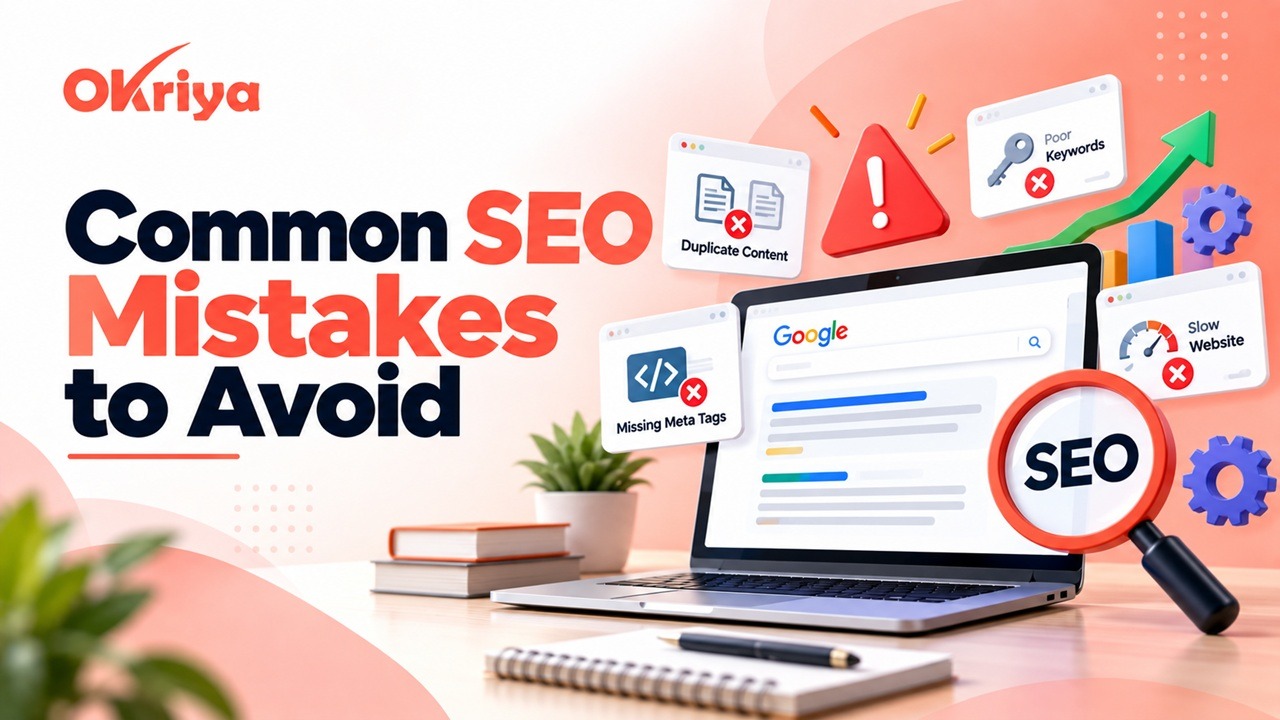
SEO can help a website attract consistent organic traffic, generate leads, and build long-term online visibility. However, even a good website can struggle to rank when basic optimization problems are ignored. Some issues are easy to notice, while others can remain hidden for months and slowly reduce search performance.
Many businesses make SEO Mistakes without realizing how much they affect crawling, indexing, user experience, and conversions. A website may publish useful content but still perform poorly because of weak internal links, incorrect keyword targeting, technical errors, or pages that do not match search intent.
The good news is that most SEO Mistakes can be corrected with a structured approach. Instead of chasing every new SEO tactic, businesses should first identify the problems that are preventing their existing pages from performing properly.
In this guide, we will cover the most serious mistakes that website owners, marketers, and businesses should identify and fix.
Common SEO Mistakes That Can Affect Website Performance
The Common SEO Mistakes businesses make are not always highly technical. Sometimes the biggest problems come from publishing weak content, targeting the wrong keywords, creating multiple pages for the same topic, or forgetting to update old articles.
Technical problems can also reduce performance. Incorrect canonical tags, accidental noindex settings, broken links, slow pages, and poor mobile usability can make it harder for search engines and users to access important content.
The best approach is to review SEO as a complete system. A professional SEO service should connect content, keywords, technical performance, internal linking, user experience, and conversion goals instead of managing each area separately.
SEO Mistakes #1: Targeting Keywords Without Understanding Search Intent
Keyword research is important, but search volume alone should not determine what type of page you create. You also need to understand why someone is searching for a particular keyword.
For example, a person searching for “what is technical SEO” is probably looking for information. Someone searching for “technical SEO agency” is more likely to be searching for a service provider. These two keywords may be related, but they represent different intentions.
If your page does not match what the user expects, it may struggle even when the keyword appears several times.
Before targeting a keyword, review the search results and consider:
- What type of pages currently appear
- Whether the search is informational or commercial
- What questions users are likely trying to answer
- Whether people want a guide, service, product, comparison, or solution
Understanding intent helps you create the right type of page instead of forcing a keyword into unsuitable content.
SEO Mistakes #2: Using Keywords Too Many Times
Keywords help search engines understand the topic of a page, but repeating them unnaturally can make the content difficult to read.
A paragraph should not sound like this:
“Looking for the best SEO company? Our best SEO company provides the best SEO company services for businesses looking for the best SEO company.”
The phrase appears repeatedly, but the writing does not sound natural.
Instead, use the main keyword where it makes sense and support it with related words and phrases. A primary keyword can naturally appear in the title, H1, relevant headings, introduction, body content, and URL without being repeated in every sentence.
Good SEO writing should always sound like it was written for a person first. Following practical SEO tips and techniques can also help you optimize content naturally without overusing keywords.
SEO Mistakes #3: Publishing Thin or Low-Value Content
Publishing more pages does not automatically improve rankings. One of the most common SEO Mistakes is creating large amounts of content that provides little additional value.
For example, a business may create separate pages for “best SEO service,” “top SEO service,” “professional SEO service,” and “best SEO company service.” If all of those pages contain nearly identical information, they are unlikely to provide a better experience for visitors.
Instead of focusing only on publishing frequency, create content that genuinely answers customer questions and covers a topic properly.
A strong page should:
- Answer the main search question clearly
- Provide useful examples or explanations
- Include original insights where possible
- Help users understand the next step
- Avoid unnecessary repetition
- Be easy to read and navigate
Quality and relevance should always come before content volume.
Common SEO Mistakes to Avoid in Content Optimization
Content is one of the biggest parts of SEO, but simply publishing articles is not enough. Content needs to be useful, properly structured, and aligned with what users are actually searching for.
The following Common SEO Mistakes to Avoid are often found on websites that publish regularly but still struggle to increase organic visibility.
SEO Mistakes #4: Writing Only for Search Engines
Content should be optimized for search engines, but it should never feel like it was written only for an algorithm.
A page may contain the correct keywords, headings, internal links, and word count but still fail if it does not answer the user’s question properly.
Before publishing a page, ask:
- Does this content answer the main question?
- Is the information easy to understand?
- Does the page provide something useful?
- Is important information easy to find?
- Does the content offer more than a simple summary?
- Is the next step clear to the reader?
SEO works best when optimization supports useful content rather than replacing it.
SEO Mistakes #5: Ignoring Titles and Meta Descriptions
The SEO title is often one of the first things users see in search results. A weak or unclear title can reduce the chance that someone will click your page.
For example:
Weak title: Digital Marketing
Better title: Digital Marketing Services for Small Businesses
The second title explains the page more clearly and gives users a better idea of what they will find.
Meta descriptions should also describe the content naturally. Avoid stuffing several keyword variations into a single description. Instead, explain the main benefit of the page and encourage relevant users to visit.
A strong title and description should be accurate, readable, and closely connected to the actual content.
SEO Mistakes #6: Ignoring Internal Linking
Internal links connect related pages on your website and help users discover additional information. They also help search engines understand how different pages are related.
For example, a blog post about ecommerce marketing could naturally link to an ecommerce development service page, an SEO guide, or a related case study.
A simple structure might look like this:
Blog Post → Related Guide → Service Page → Case Study
When adding internal links, use descriptive anchor text instead of vague phrases.
For example:
Better: Learn more about ecommerce website development.
Weak: Click here.
Descriptive links are clearer for both users and search engines.
SEO Mistakes #7: Creating Multiple Pages for the Same Search Intent
Another common problem is creating several pages that target slightly different keyword variations but serve the same purpose.
For example:
/seo-services//best-seo-services//professional-seo-services/
If all three pages explain the same service, they may compete with each other instead of strengthening one clear page.
Before creating a new URL, ask whether users genuinely need a separate page.
If two or more pages target the same intent, it may be better to combine useful information into one stronger resource.
This helps create clearer site architecture and reduces unnecessary duplication.
SEO Mistakes That Can Cause Technical Problems
Technical SEO problems can prevent strong content from reaching its full potential. A page may be informative and well written, but it still needs to be accessible, crawlable, indexable, and properly structured.
These SEO Mistakes should be checked regularly, especially after website redesigns, migrations, plugin changes, or major development updates.
SEO Mistakes #8: Using Incorrect Canonical URLs
Duplicate or similar URLs can appear for many reasons, especially on ecommerce websites.
Common examples include:
- Tracking parameters
- Product filter URLs
- Sorting pages
- HTTP and HTTPS versions
- WWW and non-WWW versions
- Similar product variations
Canonical tags help indicate which URL should be treated as the preferred version.
For example, if:
https://example.com/product
is your preferred page, alternative versions should not send conflicting signals.
Incorrect canonical tags can sometimes point search engines toward the wrong page, so they should be reviewed carefully.
SEO Mistakes #9: Accidentally Blocking Important Pages
Sometimes important pages fail to appear in search because they are accidentally blocked from indexing.
This can happen because of:
noindexsettings- Incorrect robots rules
- Password protection
- Development settings left active after launch
- Incorrect canonical tags
- Plugin configuration errors
Important URLs should always be checked after a website launch, migration, or redesign.
Review pages such as:
- Homepage
- Service pages
- Product pages
- Category pages
- Important blog posts
- Location pages
Google Search Console can help identify whether important pages are being indexed correctly.
SEO Mistakes #10: Ignoring Website Speed
A slow website creates a poor experience for visitors and can reduce conversions.
Speed problems are often caused by large images, unnecessary JavaScript, too many plugins, poor hosting, heavy themes, third-party scripts, or badly optimized code.
Start by improving the areas that create the biggest performance problems.
Common improvements include:
- Compressing large images
- Using proper image dimensions
- Enabling caching
- Removing unnecessary plugins
- Reducing third-party scripts
- Improving server response time
- Optimizing JavaScript and CSS
Do not focus only on achieving a perfect performance score. The goal should be to provide a fast, stable, and usable experience for real visitors.
SEO Mistakes #11: Ignoring Mobile Users
A website can look excellent on desktop and still perform poorly on mobile devices.
Mobile users may experience small text, broken menus, buttons that are difficult to tap, horizontal scrolling, large popups, or forms that are difficult to complete.
Make sure you test more than just the homepage.
Check:
- Service pages
- Product pages
- Blog posts
- Contact forms
- Checkout pages
- Category pages
- Navigation menus
A mobile-friendly website should allow users to read content, navigate, contact the business, and complete important actions without unnecessary difficulty.
Common SEO Mistakes to Avoid in Link Building
Backlinks can support website authority and visibility, but link quality matters more than simply collecting large numbers of links.
One of the Common SEO Mistakes to Avoid is building links from completely unrelated or low-quality websites simply because those links are easy to obtain.
SEO Mistakes #12: Building Low-Quality Backlinks
Businesses sometimes submit their websites to hundreds of generic directories, spam blog comments, purchase low-quality backlinks, or use automated tools to create links.
These activities can produce a large backlink count without providing meaningful authority or referral value.
A better strategy is to focus on relevant opportunities such as:
- Industry publications
- Legitimate business directories
- Digital PR
- Local business associations
- Supplier or partner websites
- Expert contributions
- Original research
- Useful tools and resources
- Relevant industry websites
Before building a link, ask whether the website is relevant to your business and whether a real visitor could reasonably find the link useful.
Relevant links usually provide more long-term value than random backlinks.
SEO Mistakes in Tracking and Reporting
SEO does not end after content is published or technical issues are fixed. Performance needs to be monitored so businesses can understand what is working and where improvements are needed.
Without reliable data, SEO decisions become guesses.
Ignoring Google Search Console
Google Search Console provides valuable information about how your website appears in organic search.
It can help you monitor:
- Search queries
- Organic clicks
- Impressions
- Average positions
- Indexing problems
- Page performance
- Core Web Vitals
- Structured data issues
For example, a page may receive a large number of impressions but very few clicks. That could indicate an opportunity to improve the title, description, or relevance.
Another page may already rank near the first page and could benefit from stronger content or internal linking.
Using Search Console data helps you prioritize changes based on actual performance instead of assumptions.
Focusing Only on Keyword Rankings
Rankings are useful, but they should not be the only measure of SEO success.
Imagine one article ranks first and receives 10,000 visitors every month but generates no leads. Another page receives only 500 visitors but produces 20 qualified enquiries.
The second page may provide much greater business value.
SEO reporting should consider metrics such as:
- Organic traffic
- Qualified leads
- Contact form submissions
- Phone calls
- Ecommerce sales
- Conversion rates
- Revenue
- Assisted conversions
- Customer acquisition
The ultimate goal is not simply to rank. It is to attract relevant visitors and help them take meaningful actions.
How to Fix SEO Mistakes on Your Website
Fixing SEO Mistakes becomes easier when problems are handled in the right order.
Start with crawling and indexing. Make sure important pages are accessible and allowed to appear in search results.
Next, review search intent and content quality. Check whether important pages answer the right questions and provide useful information.
Then move to technical issues such as:
- Canonical tags
- Broken links
- Redirects
- Mobile usability
- Page speed
- XML sitemaps
- Internal linking
- Indexing controls
After the technical foundation is stable, improve titles, descriptions, content structure, calls to action, and internal links.
Finally, monitor results using Google Search Console and analytics.
SEO improvement should be treated as an ongoing process rather than a one-time task.
Quick Checklist for Common SEO Mistakes
Use this checklist when reviewing an important page:
- Does the page target clear search intent?
- Is the main keyword used naturally?
- Does the content provide useful information?
- Is there one clear H1?
- Are H2 and H3 headings structured properly?
- Is the SEO title descriptive?
- Is the meta description relevant?
- Are internal links included naturally?
- Can search engines crawl the page?
- Is the page indexable?
- Is the canonical URL correct?
- Does the page work well on mobile?
- Are images optimized?
- Does the page load quickly?
- Are backlinks relevant and trustworthy?
- Is the page being monitored in Search Console?
- Does the page support a real business goal?
This simple review can help identify problems before they reduce search performance.
Final Thoughts
Good SEO is not built around shortcuts. It comes from useful content, clear website structure, technical accessibility, strong user experience, and continuous improvement.
Many Common SEO Mistakes happen because businesses focus too heavily on rankings while ignoring search intent, content quality, mobile users, technical settings, and conversion goals.
The most important Common SEO Mistakes to Avoid include keyword stuffing, thin content, duplicate pages, weak internal linking, accidental indexing problems, slow performance, poor mobile usability, and low-quality link building.
Fixing these SEO Mistakes will not create instant rankings, but it can remove barriers that prevent good pages from performing properly.
Review your website regularly, solve the highest-impact problems first, and continue improving content and technical performance based on real search data.