
If you have a business website, you need to know what people are doing on it. Are they visiting your pages, clicking on your services, or just leaving without doing anything? That’s where Google Analytics 4, or GA4, helps you.
Before, we used Universal Analytics. It only showed basic data like how many people visited your site. GA4 is the upgraded version. It doesn’t just count visitors; it tracks what they actually do. Every click, every form submission, every action is counted as an event.
Now, why should you care?
Because GA4 helps you make better business decisions. For example:
- You can see which marketing campaign brings real customers.
- You can check which pages people like most.
- You can understand what makes people stay longer on your site.
Think of GA4 as your business report card. It tells you what’s working and what needs fixing. If you’re running a service business in Bangladesh, knowing these things can help you spend your marketing money wisely and grow faster.
Which GA4 Metrics Actually Matter for Business Growth
Now that you know what GA4 is, let’s talk about what really matters inside it. GA4 has a lot of data, but you don’t need to look at everything. You only need the numbers that show how your business is growing and what’s bringing you profit. Let’s go over the important ones one by one.
1. Engagement Rate
This one shows how active people are on your website. If the engagement rate is high, it means people are clicking, scrolling, and spending time on your pages. If it’s low, something is not connecting — maybe your content or design needs improvement.
2. Average Engagement Time
This tells you how long people stay on your site. The more time they spend, the more interested they are in your services. You can use this data to find which pages attract people most.
3. Conversions
Every business needs conversions. In GA4, you can set what counts as a conversion — maybe a form fill, a phone call, or someone asking for a quote. Conversions tell you if your website is actually bringing you business.
4. User Acquisition
This metric shows where your visitors come from, including Google, Facebook, Instagram, paid campaigns, and direct visits. These insights can help you improve your digital marketing strategy by focusing your budget on the channels that generate the strongest engagement and conversions.
5. Traffic Sources
This one is connected to user acquisition. It helps you understand which platform or campaign is sending quality traffic that converts into leads or customers.
6. Revenue and ROI
If you sell products or track leads, this part is gold. It shows how much you’re earning compared to what you’re spending. For service businesses, this tells you if your marketing is worth the cost.
When you focus on these metrics, you’ll stop guessing and start making smarter moves. These are the numbers that show you what’s working and what needs your attention.
How Can Business Owners Track These Metrics in GA4
Now that you know which GA4 metrics are important, the next step is learning how to actually track them. Many business owners feel that Google Analytics 4 looks confusing, but once you understand the basics, it becomes easy to use. Let me explain how you can track everything step by step.
1. Set Up Event Tracking
In GA4, everything runs on events. An event means any action your visitor takes on your website. For example, clicking a button, watching a video, or submitting a form.
You can set up custom events inside GA4 to track things that matter for your business.
For example:
- form_submit to track quote form fills
- button_click to track service page interactions
- page_view to see which pages people visit the most
If your website requires custom event tracking for forms, buttons, phone calls, or WhatsApp clicks, an experienced web development team can implement the required tracking correctly.
2. Turn Events into Conversions
After creating events, you can mark the most valuable ones as conversions. For a service business, this could be a lead form submission or someone clicking the “Call Now” button.
Inside GA4, go to the “Events” section, find your important events, and mark them as conversions. Once you do this, GA4 will start counting them separately and show you the conversion rate.
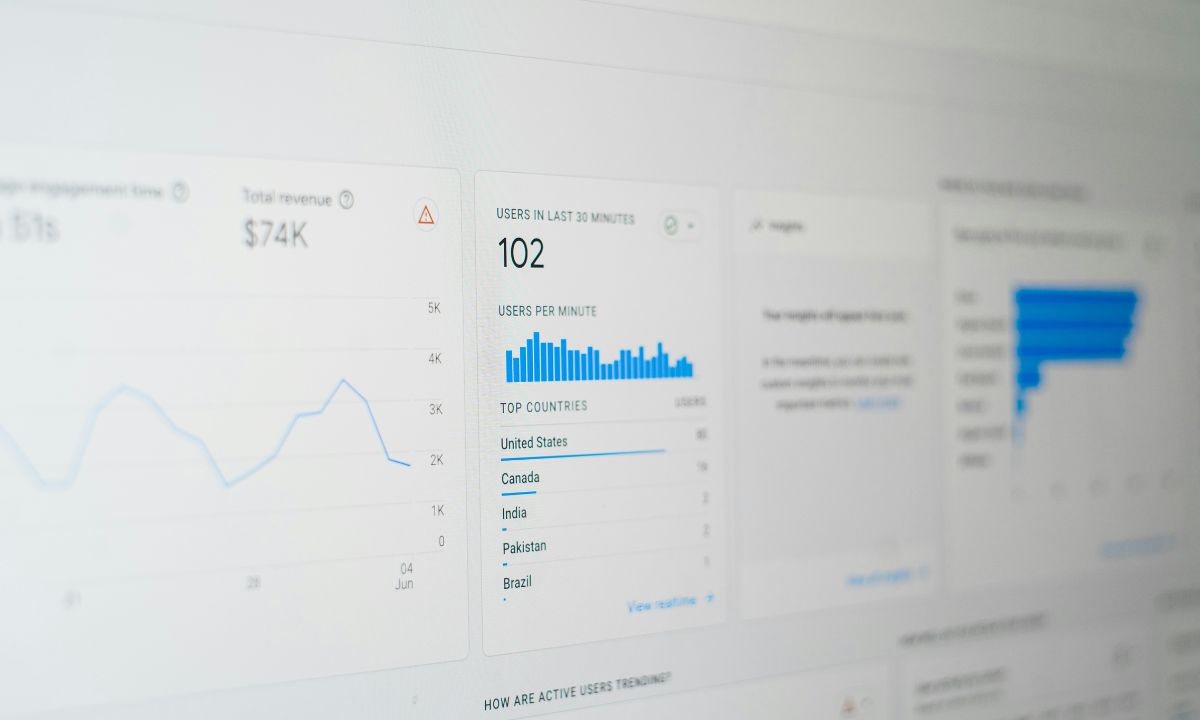
3. Use the GA4 Dashboard Reports
GA4 has built-in reports that make tracking easy.
You will find three main reports that every business owner should check:
- Acquisition Report shows where your users come from
- Engagement Report shows how people interact with your content
- Monetization Report shows revenue or conversion data
You don’t have to go deep into all reports. Just focus on these three to understand your overall performance.
4. Explore Data with Custom Reports
The Exploration feature in GA4 lets you create your own custom reports. For example, if you want to see how Facebook users behave compared to Google visitors, you can easily create a chart for that.
This helps you identify which platform brings the most valuable users and which campaigns are wasting your money.
5. Filter and Segment Your Data
GA4 also allows you to filter data. You can check data by location, device, campaign, or traffic source. For example, you can see how visitors from Dhaka behave versus visitors from Chittagong.
This is useful for Bangladeshi business owners who want to understand local behavior or target specific cities.
When you start tracking your events, conversions, and traffic sources regularly, you’ll quickly see what’s helping your business grow. GA4 may look technical, but once it’s set up properly, it works as your marketing assistant 24/7.
What Insights Can GA4 Provide for Service-Based Businesses
If you run a service-based business in Bangladesh, you know how important it is to understand what your customers want. Google Analytics 4 gives you deep insights that can help you improve your marketing, website performance, and customer experience. Let’s go through the main ways GA4 helps service-based businesses make smarter decisions.
1. Tracking Lead Generation Forms
For most service businesses, leads come through online forms. GA4 lets you track every time someone fills out your contact or quote form. You can see how many people viewed the form, how many started filling it, and how many actually submitted it.
If you notice a lot of people viewing the form but not submitting it, that means something is wrong with your design or call to action. You can fix it and then measure improvement again through GA4.
2. Measuring Contact Clicks and Phone Calls
In Bangladesh, many customers prefer to call directly instead of filling out forms. GA4 helps you track when someone clicks on your phone number or WhatsApp link.
This tells you which pages or ads bring the most call inquiries. For example, if your SEO page gets more calls than your web design page, you know which service is more in demand.
3. Identifying Top-Performing Pages
GA4 shows you which pages attract the most visitors and keep them engaged longer. You can find out which service pages are performing well and which need more attention. If your “Digital Marketing” page gets 70 percent of your traffic, it means people are more interested in that service. You can then create more content, offers, and ads related to that service.
4. Analyzing Content Effectiveness
If you publish blogs or case studies, GA4 helps you understand which content topics work best.
You can track how long people read, if they click internal links, and if they move from your blog to your service pages. This data helps you plan future content that drives real leads instead of random traffic.
5. Understanding Audience Segments
GA4 allows you to create audience segments based on user behavior. You can create groups like “people who visited the contact page but didn’t submit” or “users from Facebook who visited twice.” These segments are very useful for remarketing. You can target them again with Google Ads or social media campaigns to bring them back.
6. Tracking Device and Location Performance
For local Bangladeshi businesses, location data is very valuable. GA4 shows which cities bring you the most visitors and from which devices they come, like mobile or desktop.
This helps you design better experiences for your real audience. For example, if most users come from mobile, make sure your website loads fast and looks great on phones.
How Often Should Business Owners Review GA4 Data
Many business owners set up Google Analytics 4 once and forget about it. That is a big mistake. GA4 is not a one-time setup; it’s a tool that gives you ongoing insights. If you check your data regularly, you can fix problems early, plan better campaigns, and make smarter decisions.
The question is how often should you check GA4. Let’s break it down step by step.
1. Weekly Review: Keep an Eye on User Behavior
Once a week, spend 15 to 30 minutes looking at your Engagement and Acquisition Reports.
Check these things:
- How many people visited your website in the past week
- Which traffic sources brought those visitors (Google, Facebook, Instagram, etc.)
- How much time people spent on your pages
- Which events or conversions happened most
This weekly review helps you stay aware of your website’s performance. If you notice sudden drops in traffic or engagement, you can act immediately. For example, maybe your Facebook ad is not performing or a blog post suddenly went viral. You will know it in time and adjust your strategy fast.
2. Monthly Review: Analyze Marketing and Conversions
Every month, go deeper into your Conversions and User Acquisition data. Look at which marketing channels are giving you leads or sales. If you run Google Ads, SEO, or social campaigns, you can compare how each channel is performing. Check which pages have the highest conversion rate and see what made them work.
Ask yourself:
- Which campaigns are bringing real results
- Which landing pages have better engagement
- Which audience segment is converting most
This helps you understand your return on investment and adjust your marketing budget accordingly.
3. Quarterly Review: Plan and Optimize for Growth
Every three months, take a full look at your business performance using GA4.
This is where you think big and make strategy decisions. You can analyze trends from the last three months and compare them with your business goals.
Look at your overall growth rate, total conversions, engagement patterns, and seasonal performance. If you see that leads increase during certain months, plan your next campaigns around that time. If a service page keeps getting less traffic, consider improving the design, SEO, or content.
Also review your event tracking setup and make sure everything important is being measured correctly. As your business grows, you may need to track new events or conversions.
4. Yearly Review: Set New Goals Based on Data
At the end of each year, use your GA4 data to set new marketing and business goals. Compare your yearly performance with last year. Find what worked best and what didn’t. You can use these insights to build your next year’s marketing plan with real numbers instead of guesses.
For example, if 60 percent of your leads came from organic search, you should invest more in SEO. If your paid ads worked well for a certain service, create more campaigns for that.
What Common Mistakes Do Business Owners Make with GA4
Many business owners set up Google Analytics 4 but fail to use it properly. The problem is not GA4 itself; the problem is how people use it. GA4 can give powerful insights, but only if it’s set up and managed the right way. Let’s go through the most common mistakes business owners make and how you can avoid them.
1. Ignoring Event Setup
This is the biggest mistake. GA4 runs completely on events, not just page views. If you don’t set up events, you are missing out on real data. For example, you should track every important action like form submissions, button clicks, video plays, and file downloads. Without this, GA4 cannot tell you what visitors are doing on your site.
You can fix this by going to your GA4 admin panel and creating custom events for key actions. This helps you understand user behavior and see which actions lead to conversions.
2. Not Marking Conversions Properly
Many business owners forget to mark important events as conversions. This is a huge mistake because conversions are what show you real success.
If you don’t mark them, GA4 won’t track your leads or sales correctly.
For service-based businesses, conversions could include form submissions, quote requests, or call clicks.
To fix this, go to your event list and turn on conversion tracking for your most valuable actions. This simple step helps you know exactly how many visitors turned into leads or customers.
3. Ignoring Data Integration
Some business owners only use GA4 alone. They don’t connect it with Google Ads, Search Console, or Tag Manager. This limits the power of your analytics.
When you connect these platforms, GA4 becomes much smarter. It can show you how your ads perform, what keywords bring the most visitors, and how people behave after clicking your ads.
Always link GA4 with other tools to get a full picture of your digital performance.
4. Focusing on Vanity Metrics
Vanity metrics are numbers that look good but don’t help your business grow. For example, page views or total users are not always useful if they don’t bring conversions.
Many business owners get happy seeing big traffic numbers, but that traffic might not be converting into leads.
Focus more on engagement rate, conversions, and average engagement time. These are the numbers that show real results.
5. Forgetting to Check Data Quality
Sometimes GA4 data is not accurate because tracking codes are not installed properly. This can lead to duplicate data or missing events.
You should always test your setup using the DebugView tool in GA4 to make sure everything is recording correctly.
If you work with a web developer or digital marketer, ask them to verify your GA4 tracking once every few months. It’s a small step but it keeps your reports clean and accurate.
6. Not Reviewing Reports Regularly
Many people check GA4 once in a while and forget about it for months. This is another common mistake. Your data only helps when you review it consistently.
When you avoid these mistakes, GA4 becomes one of the most powerful tools in your marketing toolkit. It gives you clear insights into what’s working and what needs improvement. You don’t have to be a data expert to use it effectively; you just need to focus on the right setup, clean data, and consistent review.
How Can Business Owners Use GA4 Insights to Make Smarter Decisions
Many business owners in Bangladesh collect data in GA4 but never use it the right way. The real power of Google Analytics 4 is not just in tracking numbers but in turning that data into smart actions. When you start reading the reports with a business mindset, you can see patterns that help you understand your audience, improve your marketing, and make better decisions for growth.
Using Engagement and Conversion Data to Improve Performance
GA4 gives you real information about how people interact with your website. When you look at engagement rate and conversion data together, you can easily see what attracts users and what pushes them away. For example, if your service page about SEO gets strong engagement and high conversion, it’s a sign that visitors find that topic useful. You can use that insight to create more related pages or adjust your advertising to highlight that service. Engagement and conversion reports in GA4 are not just statistics; they are proof of what your audience values most.
Optimizing Marketing Channels with Traffic Insights
One of the most powerful features of Google Analytics 4 is its ability to show where your traffic comes from. When you open the Acquisition Report, you can see which channels bring users who actually take action. Maybe your organic search traffic has the highest conversion rate, while paid ads or social media traffic drop off quickly. This kind of insight helps you adjust your marketing budget wisely. Instead of guessing, you can double down on what delivers results and stop wasting money on weak channels. Over time, this optimization builds a more efficient marketing strategy.
Improving User Experience with Behavioral Data
GA4 collects data about every user interaction, from page scrolls to button clicks. By checking this information, you can identify where people lose interest or stop engaging. For instance, if the average engagement time on your home page is much lower than on your service pages, that’s a clear sign the home page needs improvement. You might simplify the content, speed up the loading time, or make your call to action more visible. Each improvement backed by behavioral data leads to a better user experience and higher retention.
Building Stronger Audiences through Segmentation
Audience segmentation in GA4 helps you understand exactly who your users are and how they behave. You can create groups based on actions like users who visited your site multiple times but never filled out a form or users from Dhaka who viewed your digital marketing page. These segments can be exported directly into Google Ads for remarketing campaigns. By doing this, you target people who already know your brand instead of wasting ads on random users. That improves your conversion rate and reduces advertising costs.
Making Confident, Data-Driven Business Decisions
The biggest advantage of GA4 is that it helps you make confident business decisions based on real data. Every report you see connects directly to business performance — engagement, traffic, conversions, and revenue. When you review these numbers regularly, you can clearly see what’s working and what needs to change. Instead of depending on guesswork, you plan your marketing, design updates, and content strategies around proven data. This is what separates successful digital businesses from those that just hope for results.
What Should Business Owners Remember Before Using GA4 for Growth
Google Analytics 4 is not just another tool; it is your business guide. It helps you understand your customers, track performance, and make decisions based on real data. Focus on the metrics that connect directly to your goals like engagement rate, conversions, and traffic sources. Review your reports regularly and look for patterns that show what is working best. Avoid common mistakes such as missing event tracking or ignoring conversions. When you use GA4 properly, you stop depending on assumptions and start running your business with confidence. The more you understand your data, the easier it becomes to grow, improve marketing results, and achieve long-term success.
FAQs
How can GA4 help my business grow faster?
GA4 shows you where your website visitors come from, what they do, and which pages bring you the most leads. With these insights, you can focus your marketing budget on what really works. If you want help improving your tracking setup or optimizing your marketing campaigns, check out our Digital Marketing Services.
Is GA4 better than Universal Analytics for small businesses?
Yes, GA4 is much better for small businesses because it tracks real user behavior through events, not just page views. It helps you understand your customers more deeply. If you’re upgrading your website and want a seamless GA4 setup, our Web Development Team can integrate it for you.
What metrics in GA4 should I check every week?
Business owners should track engagement rate, conversions, and user acquisition every week. These show how well your website and marketing are performing. To improve these numbers through better content and SEO, explore our SEO Services designed for business growth.
Can GA4 track leads from my contact form or WhatsApp button?
Yes, GA4 can track all your lead sources including form submissions, phone clicks, and WhatsApp interactions. You just need proper event tracking setup. Our Digital Marketing Experts can help you configure these events and analyze the results.
How often should I review my GA4 reports?
Ideally, review your GA4 data every week for quick insights and every month for deeper analysis. This helps you make smarter marketing decisions. If you want a professional to monitor your analytics and give monthly reports, check out our SEO and Analytics Services.